Valencia Campus Library
Finding and Using Visual Information
Finding Images (Still and Video)
Library Database Collections
Other Library Collections
Internet Collections
Search engines for images

- (video)

Finding Guides for Images
- from Boston College
- from UC Berkeley
- from University of Illinois
- from Yale
- from Yale
Copyright

Downloading

- (PC Mag)
- (CNET)
- (Techradar)
Visual Alternatives to PowerPoint
Image editors
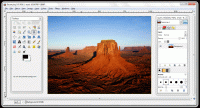
- (online and app)
- (Mac app)
- Pixlr (online)
Info on video editors
Other interesting image manipulators
Powerpoint Tips, Tutorials, and Examples
Tutorials
Examples
PowerPoint Tips
Grab viewers' attention
- Select or create your own theme.
- Use graphics to emphasize key points.
- Use animations and transitions wisely.
- Use masters and layouts to save time and help get better results.
- Make consistent style changes on all slides using the slide master.
Clearly communicate your information.
- Use video and audio to convey your message more effectively.
- Start by outlining your presentation.
- Consider differences between print and on-screen presentations.
- Use notes pages and handouts to help deliver the story.
Stay in control of your presentation.
- Keep file size manageable.
- Use the tools available to get it right the first time.
- Know exactly what your viewers will see.
Additional tips